
Equipment records are a facility’s technical memory. When a fault occurs or the maintenance team changes, they decide whether work starts from zero or carries on.
At a glance
- Each item needs a unique tag and one clear file.
- The best time to open the file is at installation and commissioning.
- Someone must own keeping the records up to date.
What goes into an equipment file?
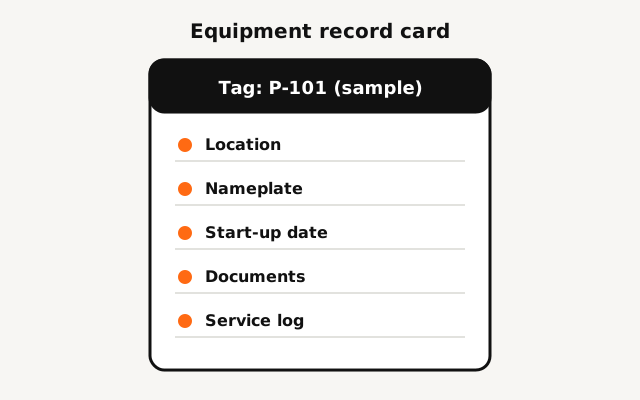
| Field | Example |
|---|---|
| Tag and name | P-101, circulation pump |
| Location | Plant room, ground floor |
| Nameplate data | Manufacturer, model, serial number |
| Installation and start-up date | Per the handover record |
| Documents | Manufacturer manual, as-built drawing |
| Service and repair log | Date, work done, part replaced |
The examples in the table are illustrative and should be replaced with your actual equipment.
Unique tags and naming
Give each item a unique tag and use the same tag on the equipment, in the list, on drawings and in reports. With consistent tags, finding the history of a pump or valve takes seconds, not hours.
- Keep tags short and readable.
- Fix a label on the equipment itself.
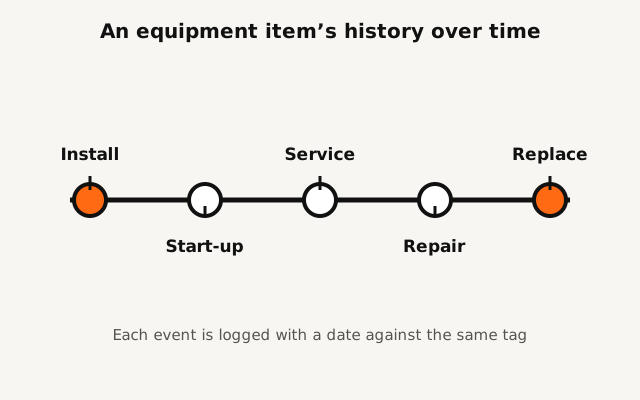
- Log replacements with a date against the same tag.
Start at handover
At installation and commissioning, each item’s data and documents are at hand. If the file is created then, you will not have to hunt for manuals and nameplates later. Tie this to the handover of the facility project.
Where and how to keep records
Whether it is a paper log, a shared file or maintenance-management software, what matters is that everyone knows where the records are and who updates them. The US Department of Energy’s maintenance guide also discusses computerised maintenance management systems as a way to track history.
Frequently asked questions
Do I need software to keep records?
No. A shared spreadsheet is a good start. Software pays off once the number of items and tasks grows.
Who should keep records up to date?
Whoever performs the service logs it at once, and one person owns the overall review.
Conclusion
To set up equipment files for a new project from the start, request a project review. Contact us
Related service: Facility services maintenance and repair
Further reading: US DOE FEMP, Operations & Maintenance Best Practices Guide